01
Local-first.
Your laptop is the source of truth. If you want to sync between machines, use whatever you already pay for (Dropbox, iCloud Drive, git, Syncthing). The app works offline because it never went online in the first place.
Project management that runs on your laptop. Tasks and docs are Markdown files in a folder you can open with any editor. List, kanban, timeline, and a graph view over the same files. No account, no server, no subscription required.
Your project is a folder. Tasks are Markdown files. The app builds the views, the search, and the graph on top, then gets out of your way when you want to open the files in another editor.
Every task is a Markdown file with a YAML header. Open them in VS Code, version them with git, sync them with Dropbox. The format isn't going anywhere.
List, kanban, timeline, graph. Same tasks underneath, four ways to look at them.
Wikilinks, tags, and task dependencies show up as a force-directed graph. Good for finding the thing you wrote two months ago and forgot about.
Add typed fields to tasks (URL, multi-select, number, date, your call). Save Markdown templates with {placeholder} placeholders and reuse them when you need them.
List and kanban ship in v0.1. Timeline, graph, Gantt, and more are rolling out right after.
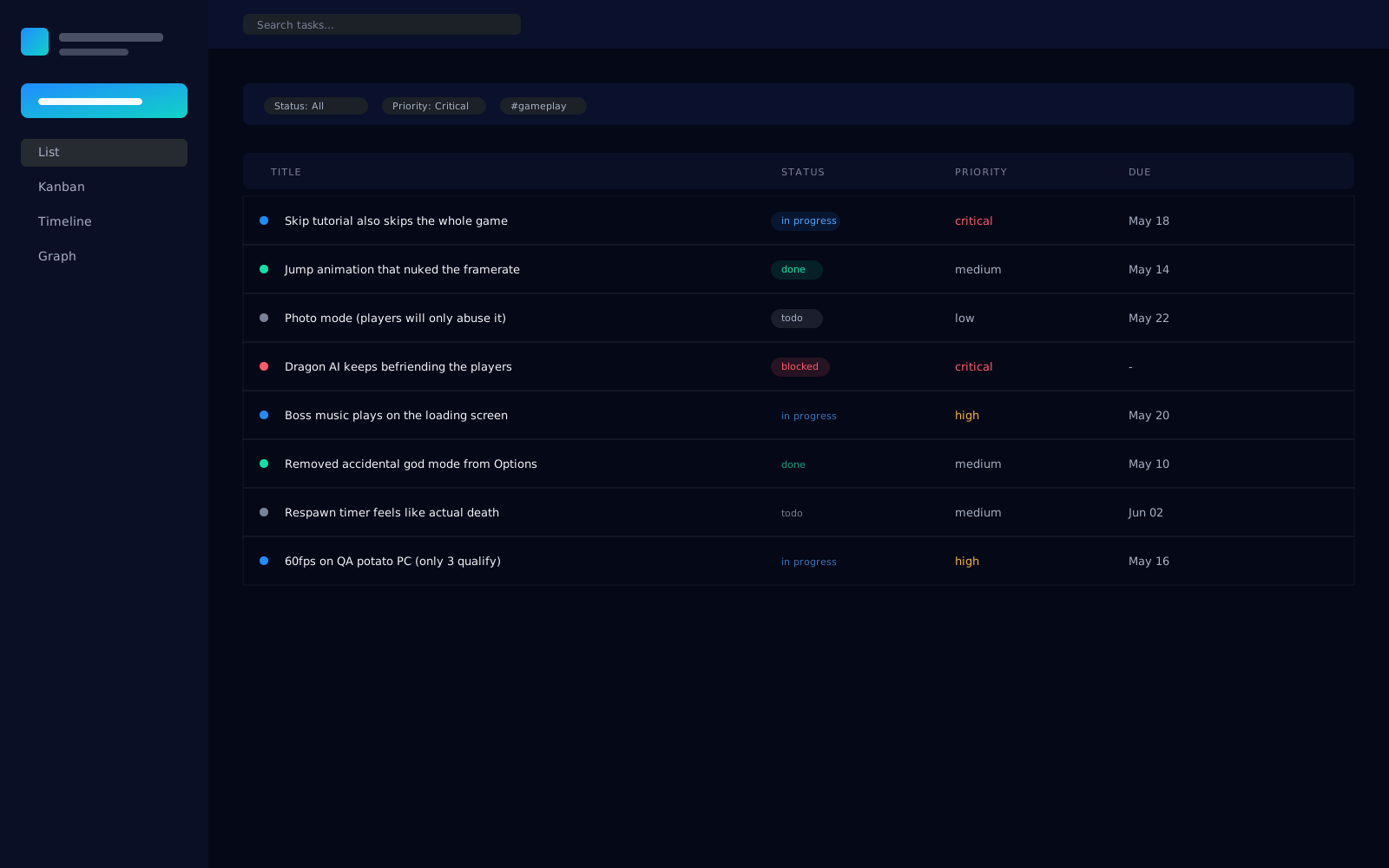
Virtualized table that handles thousands of rows without lag. Click any cell to edit status, priority, or due date inline. Shift-click for ranges. Filters end up in the URL so you can bookmark them.
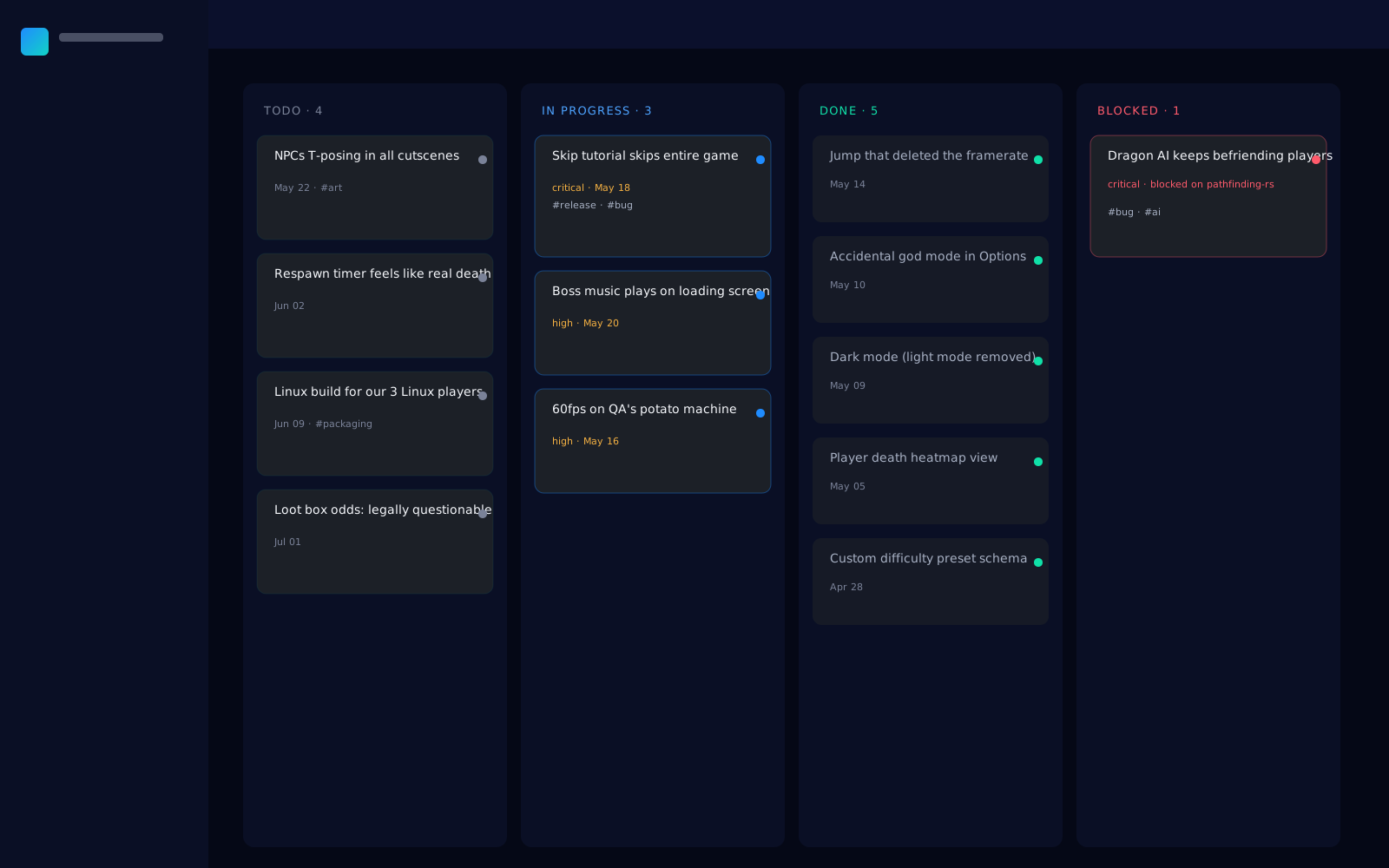
Four columns out of the box: todo, in-progress, blocked, done. Drag a card to change its status or reorder within a column. Swap the group-by axis to any custom field if you want a different cut.
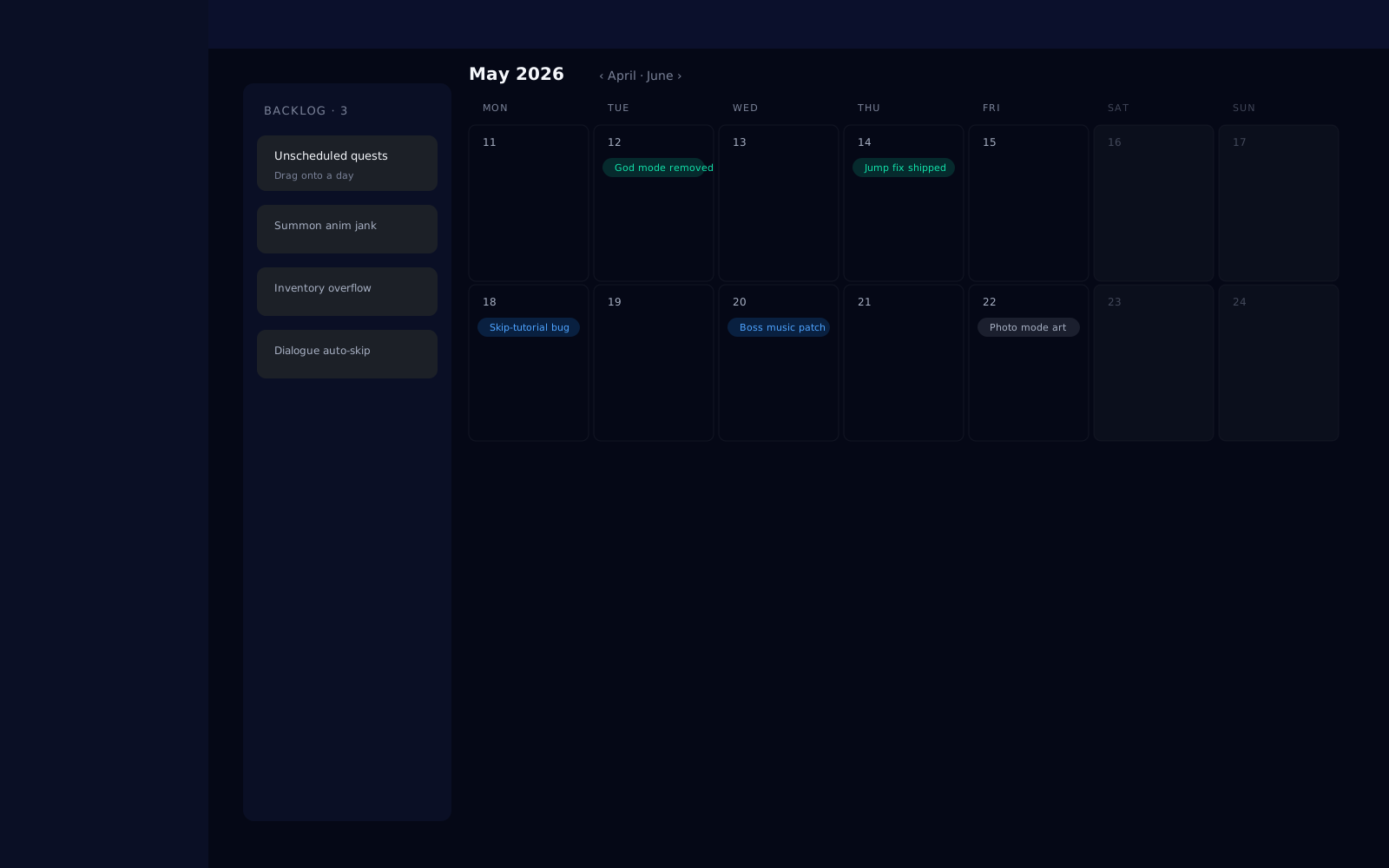
Calendar view of every task with a due date. Unscheduled tasks sit in a backlog on the side, ready to drag onto a day. Click any task for a quick preview without leaving the calendar. Launching after v0.1.
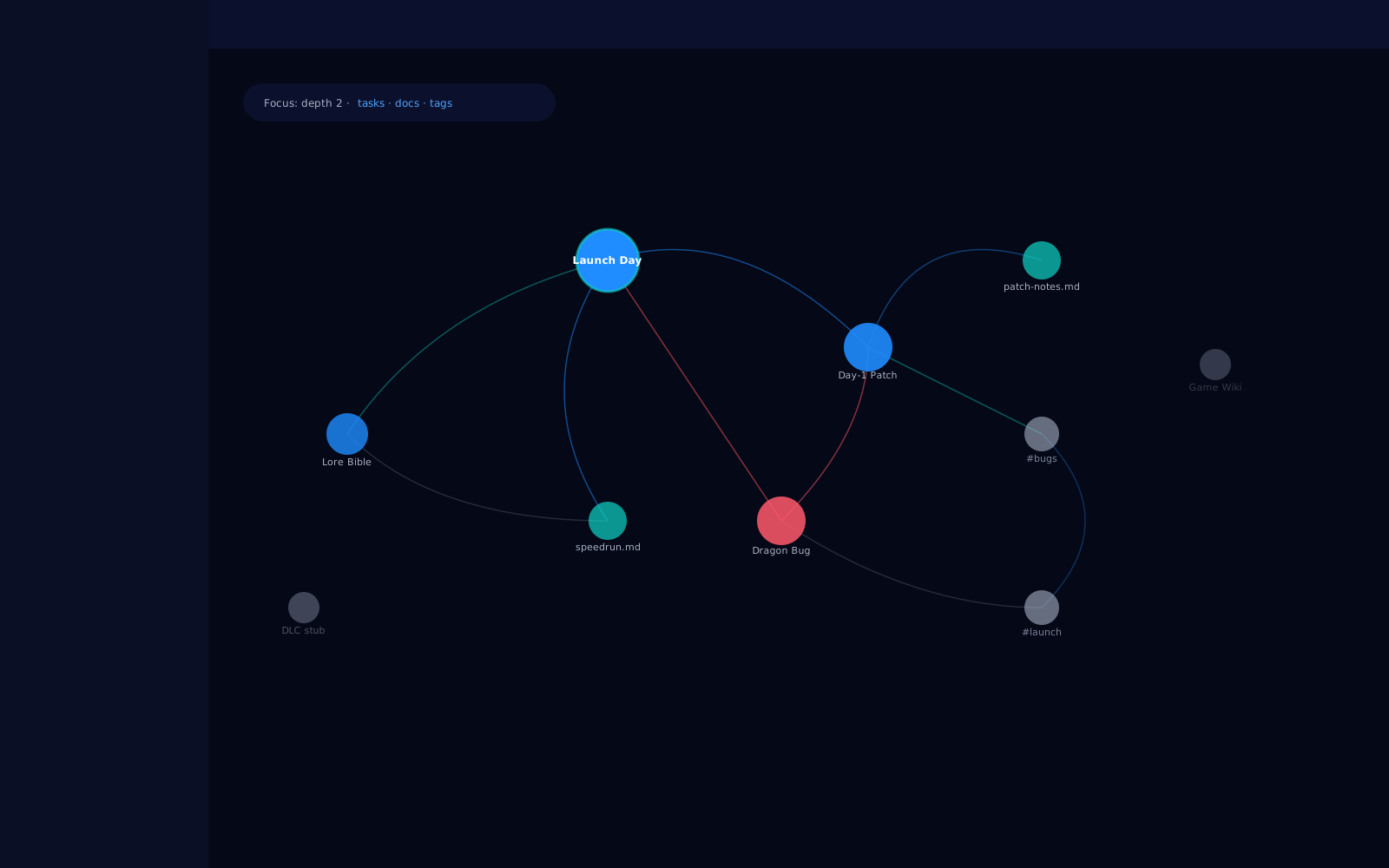
Force-directed view of tasks, docs, tags, and the wikilinks between them. Click a node to spotlight it; the rest dims. Pan and zoom with the trackpad. Launching after v0.1.
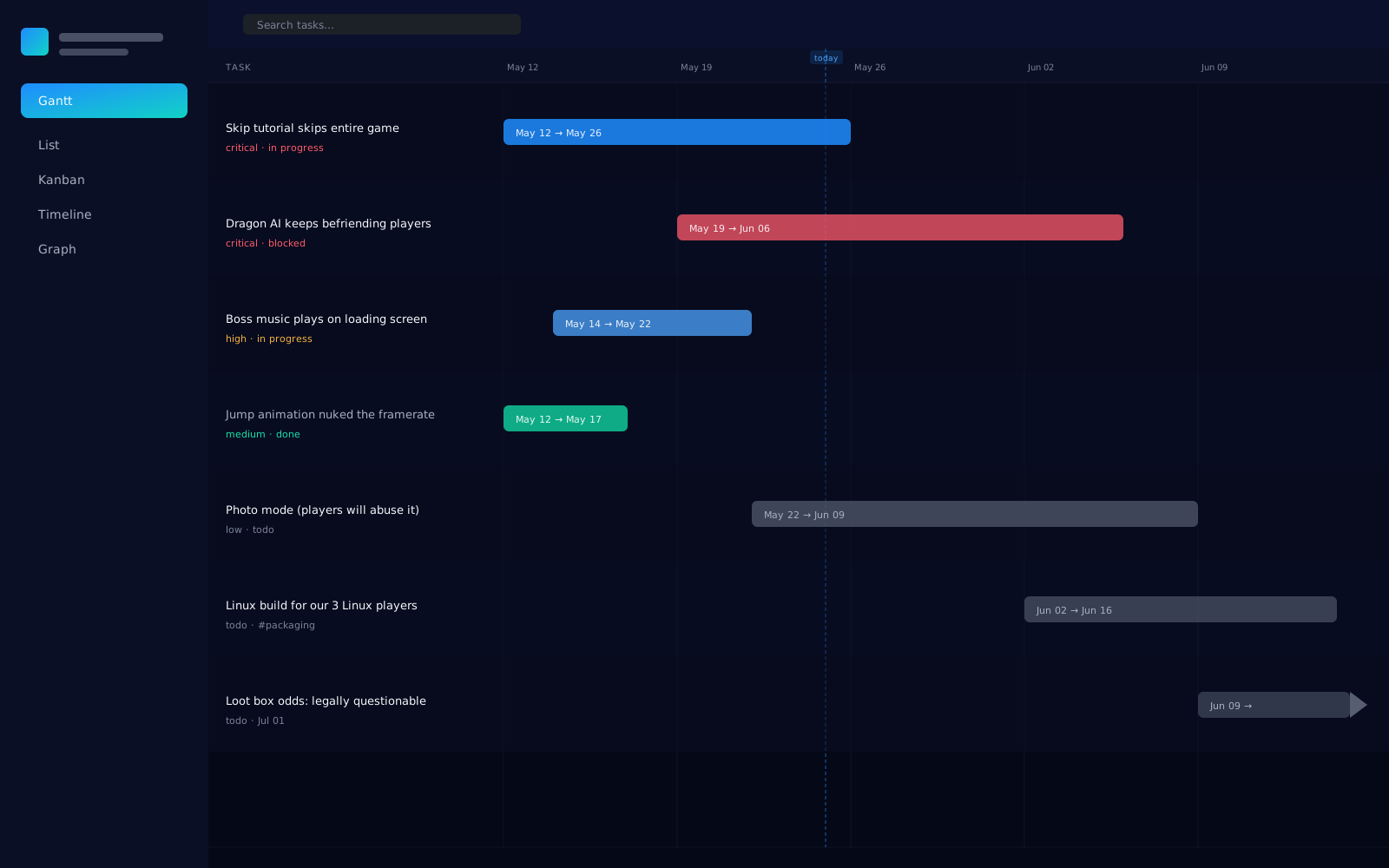
Horizontal bar chart of every task with duration bars and a today marker. Drag bars to reschedule; filter by sprint or assignee. A clearer picture of what ships when. Coming soon.
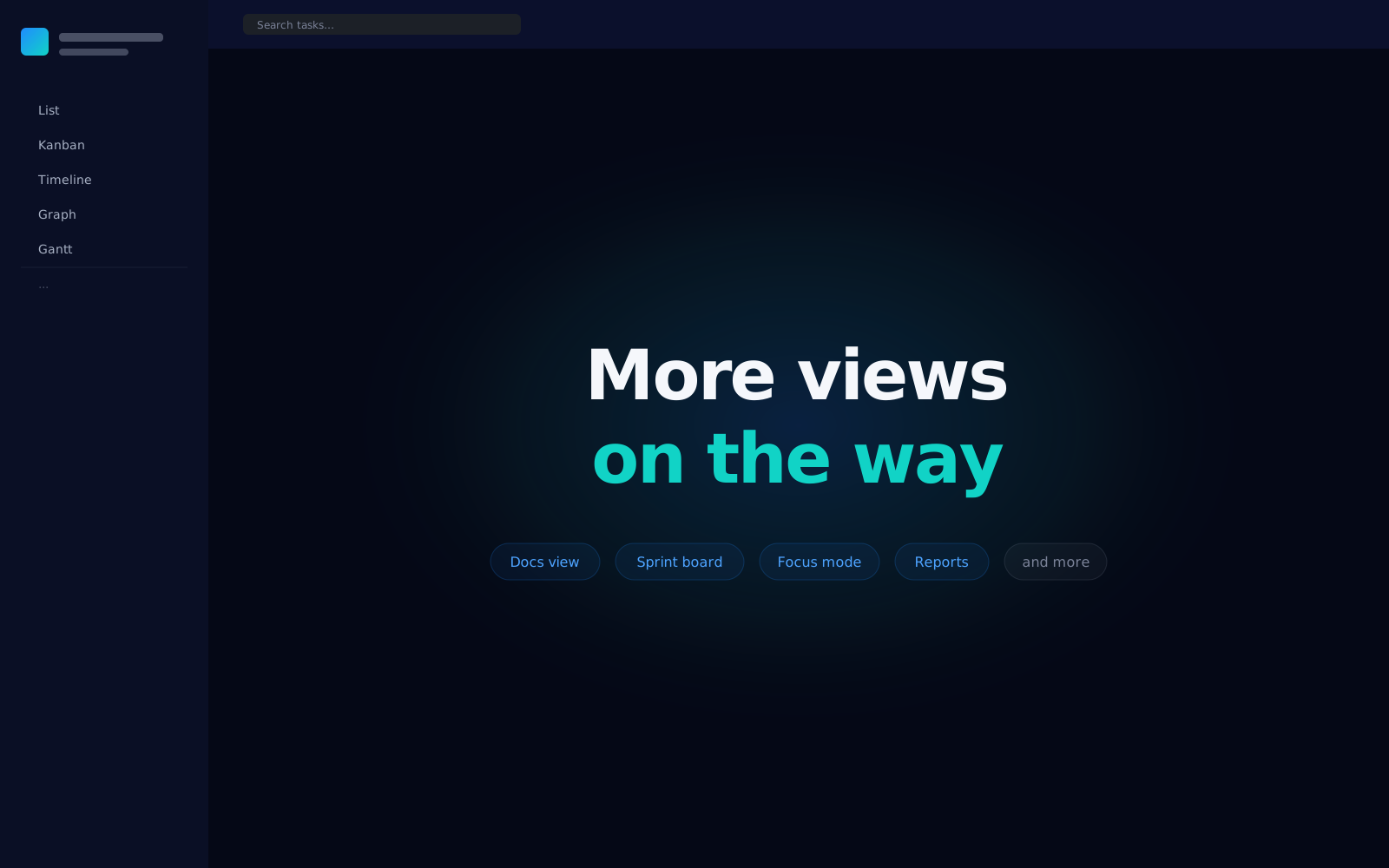
Docs view, sprint boards, focus mode, reports, and more. New views are rolling out over the coming months. Same files, new angles.
Your laptop is the source of truth. If you want to sync between machines, use whatever you already pay for (Dropbox, iCloud Drive, git, Syncthing). The app works offline because it never went online in the first place.
Tasks are Markdown with a YAML header at the top. There's a SQLite index for fast search, but it's just a cache. Delete it and the app rebuilds it on next launch. Nothing about your project lives anywhere except those files.
No account to sign up for. No cloud account underneath. No analytics pinging home. Kairnet only touches the network when you check for an update, and that check is a toggle in Settings. If we go out of business tomorrow, your projects keep working. They're just files on your disk.
Two themes ship in the box (Directed Energy and Aurora). Drop a JSON file into .kairnet/themes/ to add your own. The schema is documented and validated. Restyle every surface in the app without a custom build.
Pre-alpha builds aren't code-signed yet, so Windows SmartScreen and macOS Gatekeeper will give you a stern look on first launch. The auto-updater ships with v0.1. Until then, come back and grab a fresh installer when a new build lands.
If your question isn't here, check the docs or open an issue on GitHub.